Policy Error Report
Overview
The Policy Error Report identifies policies with configuration issues that prevent accurate commission tracking. Fixing these errors ensures your Accounts Receivable and Discrepancy Reports are correct.
🔍 Status Definitions
- Valid: Setup is correct.
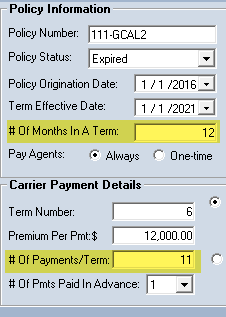
- Error: Setup is invalid (e.g., 12 months in a term but only 11 payments).
- Undefined: The policy has not been checked yet.
Resolving "Undefined" Policies
If columns are blank, you must force the system to evaluate them: 1. Go to Tools -> Update Payment Tables. 2. Re-run this report.
🖼️ Report Interface
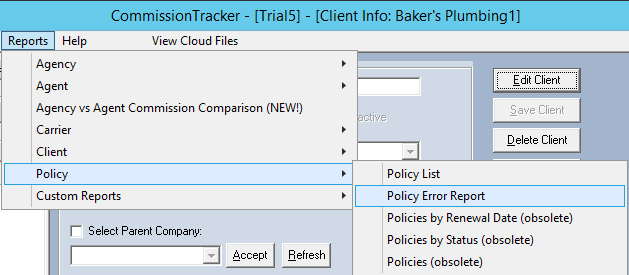
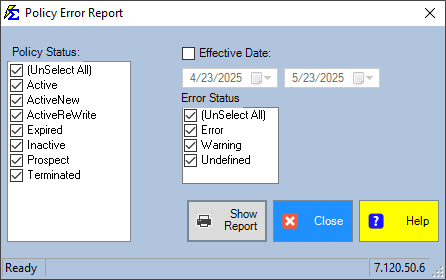
🛠️ Example Error
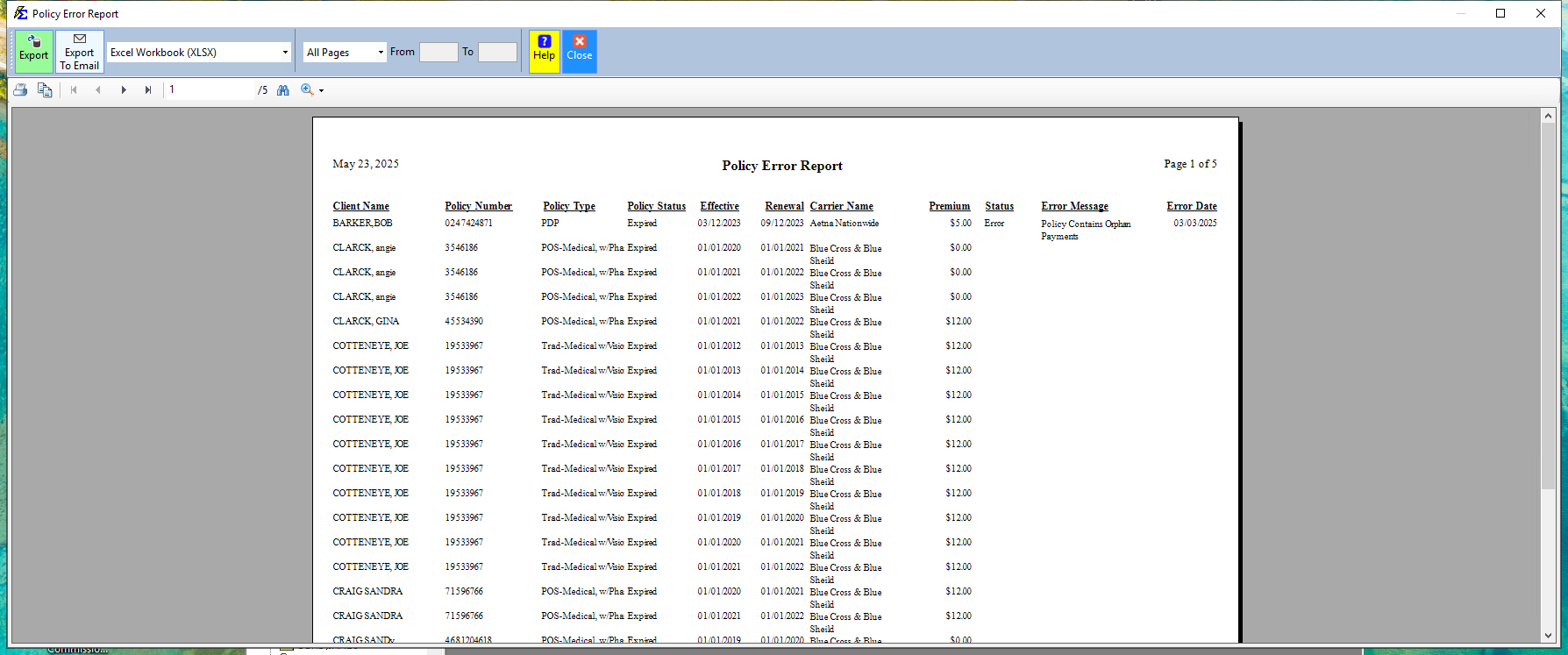
An "Error" status will provide a specific message, such as a mismatch between the number of months in a term and the expected payments per term.
💡 Best Practices
- ✅ Run Monthly: Regular audits keep your data clean.
- ✅ Import Check: Always run this after importing new policies.
- ✅ Fix Errors Promptly: Errors can lead to missed commission alerts in your A/R reports.