Policy Example: Entering a "Takeover" Policy
Overview
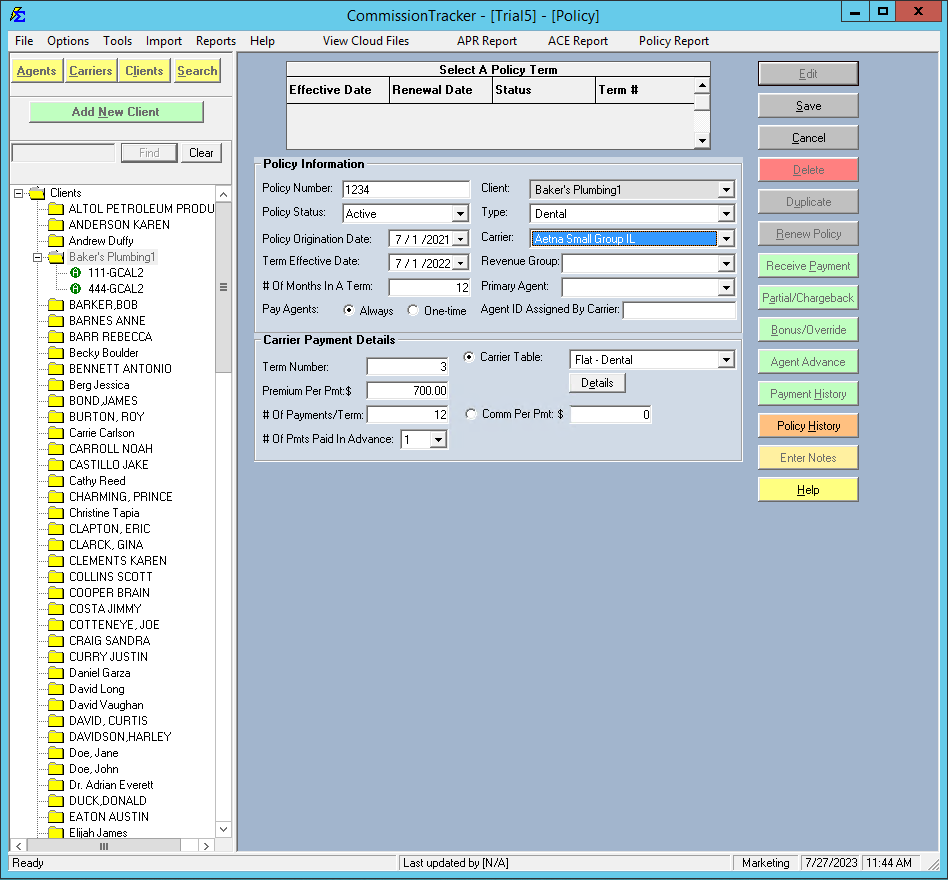
This scenario covers how to enter a policy that has been active for several years before you started using Commission Tracker. In this case, the goal is to enter a group that originated in 2021 but only start tracking active payments in March 2023.
🛠️ Recommended Settings
- Origination Date: 7/1/2021
- Term Effective Date: 7/1/2022
- # of Months in Term: 12
- Term #: 2 (Calculated automatically)
- Payments per Term: 12
- Payments in Advance: 1
⚡ The "Auto-Receive" Shortcut
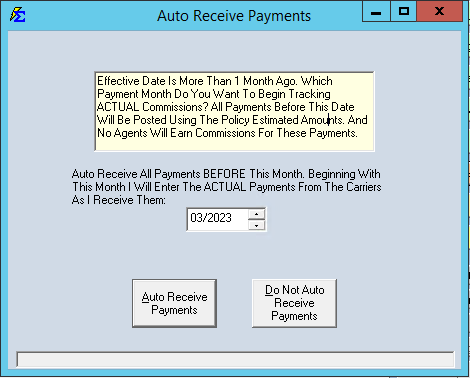
To avoid having the system look for "missing" payments from July 2022 to February 2023, use the Auto-Receive function.
- Click Auto-Receive.
- Set the date to 03/2023.
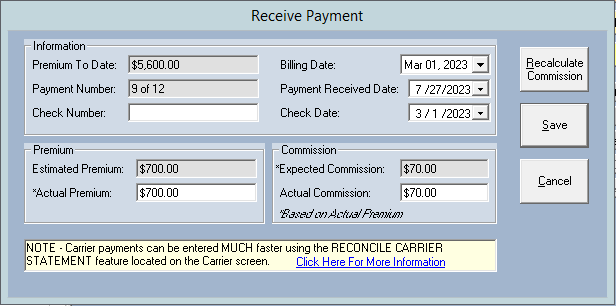
- The system will mark all previous months in the term as "Closed."
🖼️ Visual Guide
💡 Best Practices
- ✅ Origination Date: Always use the actual date the client first signed with the agency to ensure correct renewal calculations.
- ✅ Audit A/R: If your Accounts Receivable report is cluttered with old dates, use Auto-Receive to "clean the slate."