Policy History & Audit Logs
Overview
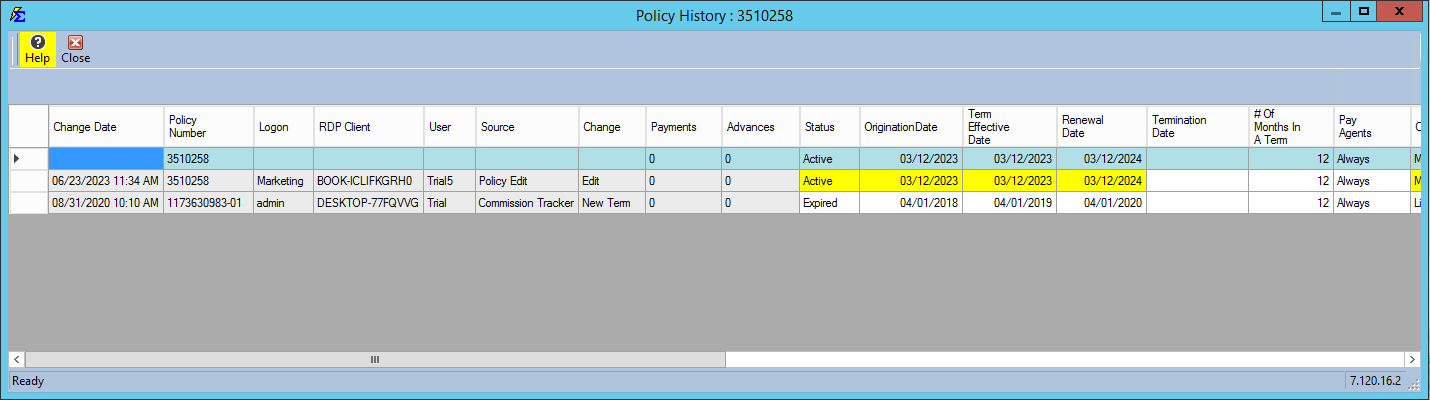
The Policy History feature provides a definitive audit trail for your data. It tracks changes to policy fields, allowing you to see exactly what was changed, when it happened, and which user performed the action.
🔍 How to Read the History
- Yellow Highlights: These indicate the specific fields that were modified during an edit session.
- Comparative View: The top row is the "Now," and the row below is the "Before."
- User Tracking: The system logs the CT username and the RDP (Remote Desktop) connection details for maximum accountability.
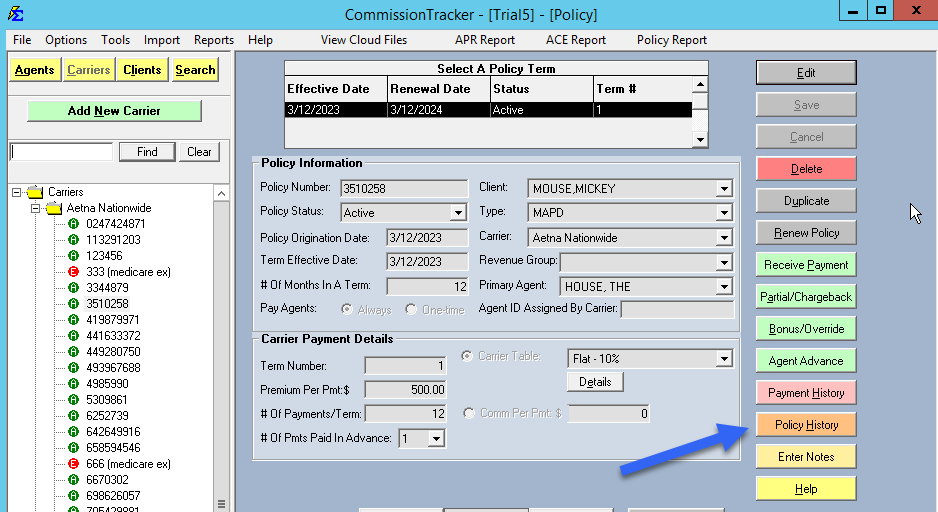
🗑️ Deleted Policy Log
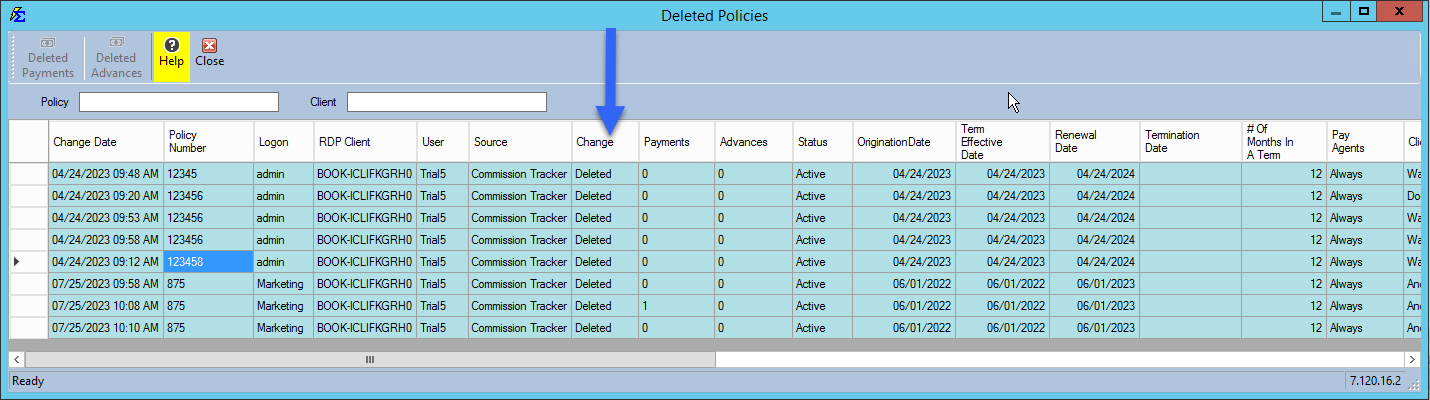
To view a list of policies that have been removed from the system: 1. Navigate to the Tools menu. 2. Select Deleted Policy Log.
💡 Best Practices
- ✅ Audit Periodically: Use these logs to ensure data entry standards are being met by all staff.
- ✅ Check Before Re-entering: If a policy seems to have disappeared, check the Deleted Policy Log before creating a duplicate.
- ❌ Note: Changes to Agent Splits are not currently captured in this specific history view.