Agent Commission Split Table AutoFill
Overview
Agent Commission Split Table AutoFill automatically populates agent splits for new policies by copying the logic from the most similar existing policy in your database.
⚙️ How it Works
When you save a new policy, the system compares the Primary Agent, Carrier, Policy Type, and Carrier Table to find a match.
-
It copies the split table to the new policy.
-
It automatically adjusts the Split Date and Agent Name.
-
It learns from any manual adjustments you make for future matches.
🖼️ Visual Guide
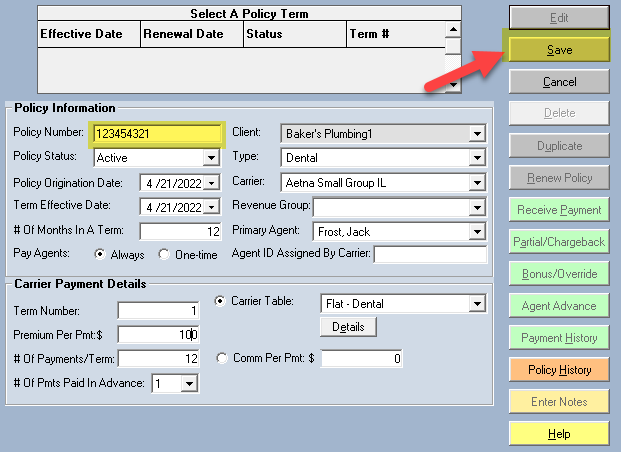
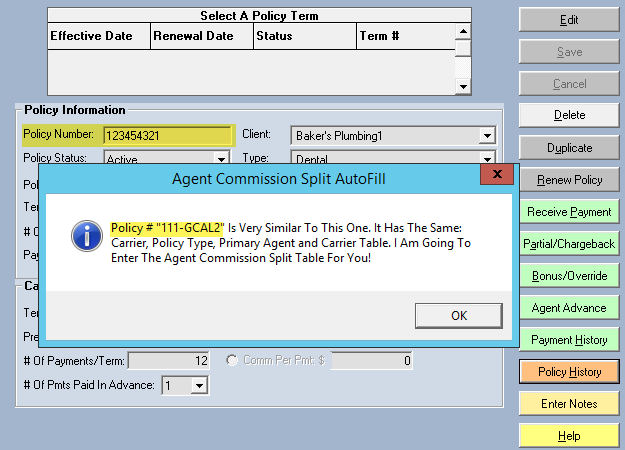
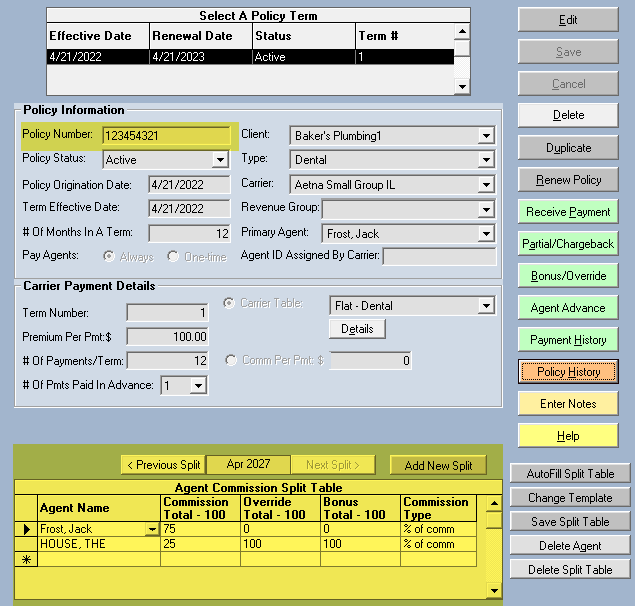
🛠️ Configuration
You can enable or disable this feature in the Options menu by toggling the "Disable Agent Commission Split Table AutoFill" checkbox.
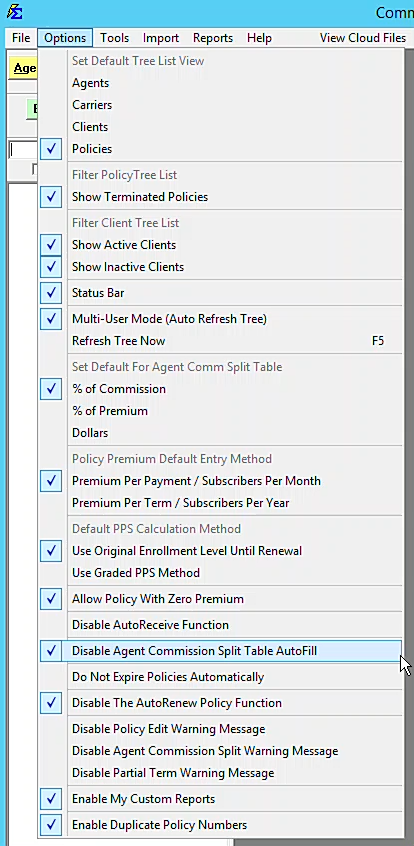
💡 Best Practices
- ✅ Verify Matches: Briefly review the auto-filled splits to ensure accuracy.
- ✅ Correct to Improve: Manually adjusting an incorrect auto-fill helps the system "learn" the correct split for that specific scenario.