Multiple Primary Agents (Agent Sharing)
Overview
This feature allows two or more agents to share a policy. While only one agent is listed as the "Primary Agent" on the main screen, both receive commissions based on their own specific contract levels and uplines.
🛠️ Requirements
- You must be using Carrier Table Agent Splits (Using Agent Uplines).
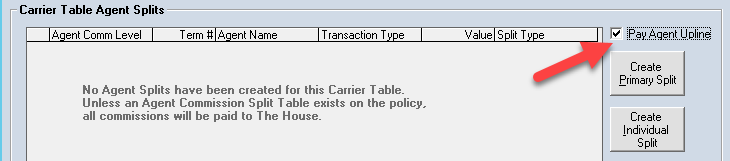
- The Pay Agent Upline box must be checked in the Carrier Table.
🚀 Configuration
- Click the Multiple Primary Agents button at the bottom of the Policy screen.
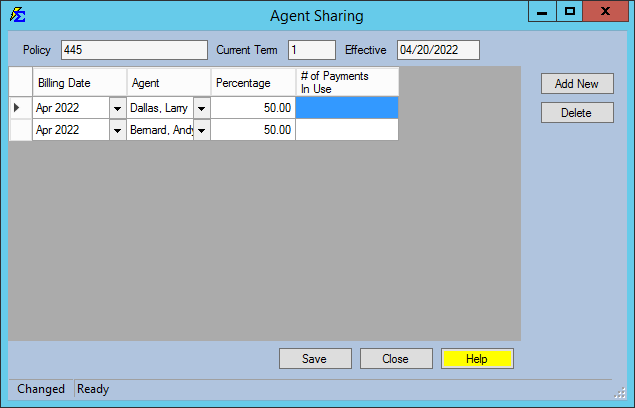
- Enter the agents and their respective split percentages (e.g., Andy 50% / Larry 50%).
- The system will calculate their earnings based on their individual Upline/Level rules, then apply the shared percentage.
📈 Example Result
If Andy and Larry share a policy 50/50:
-
Andy receives 50% of his standard 20% commission (10%).
-
Larry receives 50% of his standard 30% commission (15%).
-
Uplines (William and Jack) each receive 50% of their standard override amounts.
💡 Best Practices
- ✅ Manual Entry: Remember that sharing splits must be defined on the Policy screen; they cannot be imported via the Data Mapper.
- ✅ Verification: Run a comparison report to ensure the total payout aligns with your agency's expected "House" retention.