Mac Printing From The Cloud
Overview
If you are unable to print from your Mac when running a report in the cloud, you must configure your Remote Desktop Connection (RDC) to recognize your local hardware.
🛠️ Configuration Steps
- Go to RDC -> Preferences.
- Select the Printers section.
- Check the box "Use a printer that is connected to Mac".
- Select "All Printers".
🖼️ Visual Guide
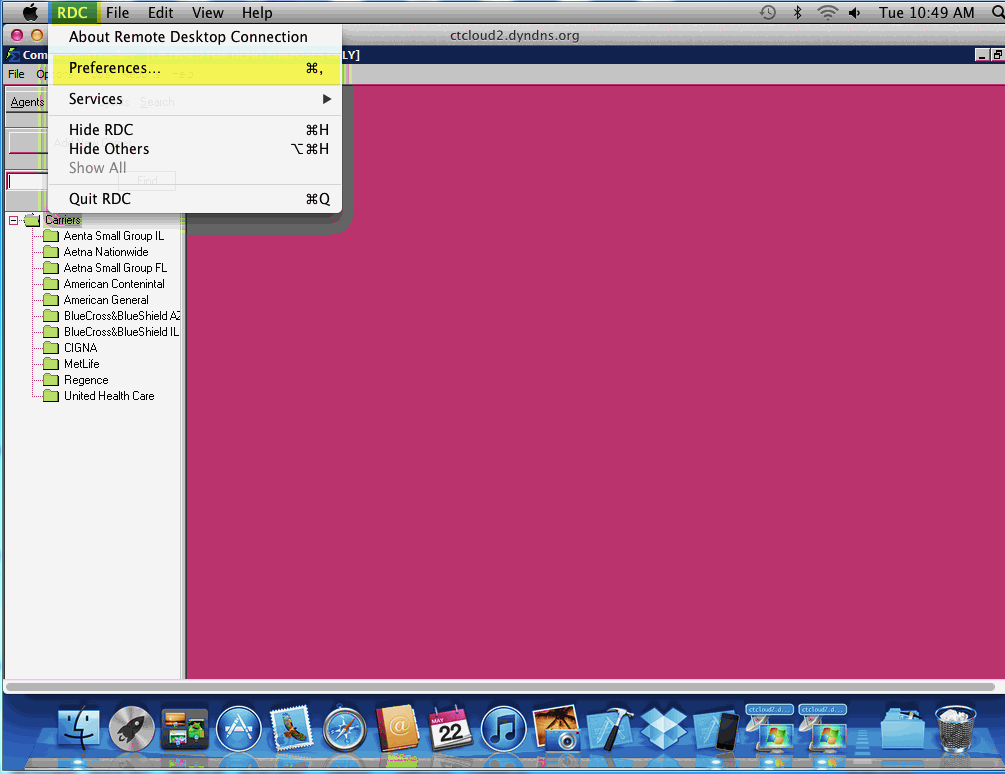
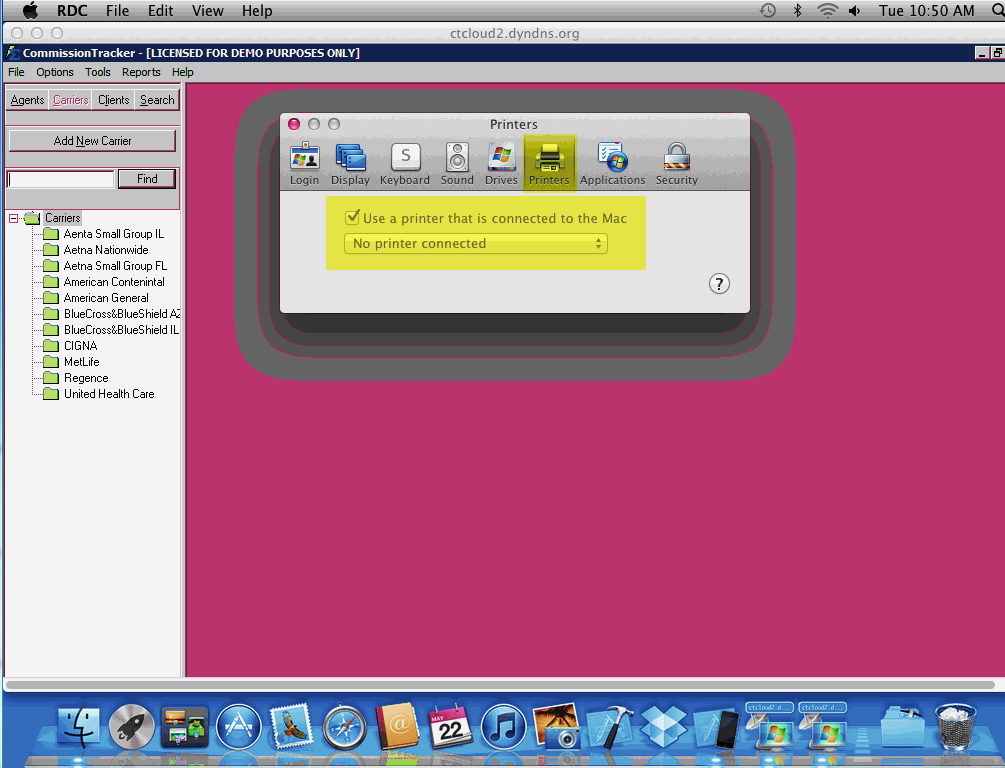
💡 Best Practices
- ✅ Refresh Connection: Log out and log back into the Cloud after changing this setting to ensure the printers map correctly.
- ✅ Driver Compatibility: Ensure your Mac printer is fully functional locally before attempting to bridge the connection to the Cloud.