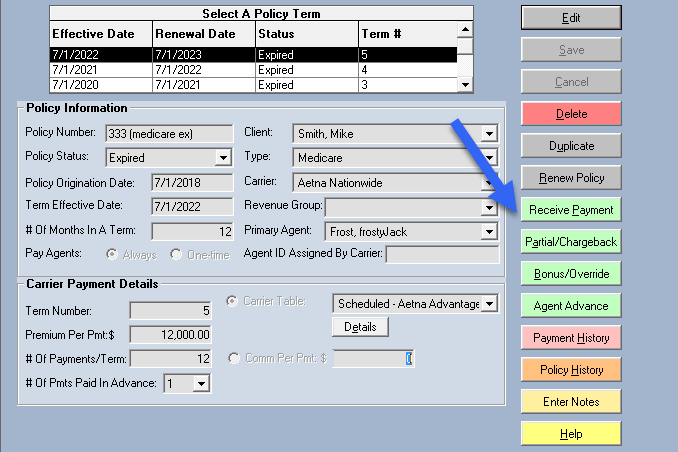
Receive Payment Button
Overview
The Receive Payment Button is the simplest way to receive a commission payment to a single policy. For larger tasks, consider Reconcile Carrier Statement or Import Carrier Statements.
📝 Key Field Descriptions
- Billing Date: Select the Month/Year for the payment. Paid months disappear from this list.
- Payment Received Date: The date the commission is recognized; affects when it appears on agent reports.
- Actual Premium: Enter the premium from the carrier statement and click Recalculate Commission.
- Actual Commission: The actual dollar amount received. Discrepancies between this and "Expected Commission" can be tracked in reports.
- Check Number: Optional field for tracking specific transactions.
🔍 Audit & History
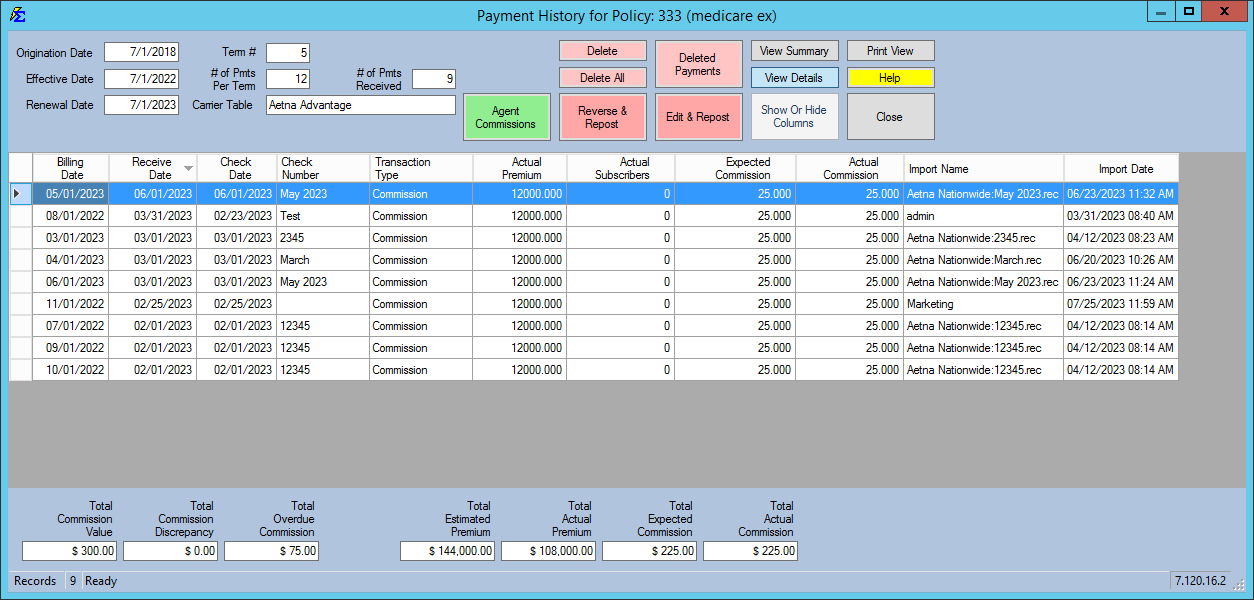
Manual payments log the username and timestamp of the person who entered the data. This is viewable in the Payment History Detail View.
💡 Best Practices
- ✅ Use Recalculate: Use the recalculate button to adjust expected fields when premiums vary.
- ✅ Detailed History: Entering check numbers and dates helps significantly during year-end audits or carrier disputes.