Renew Policies
Overview
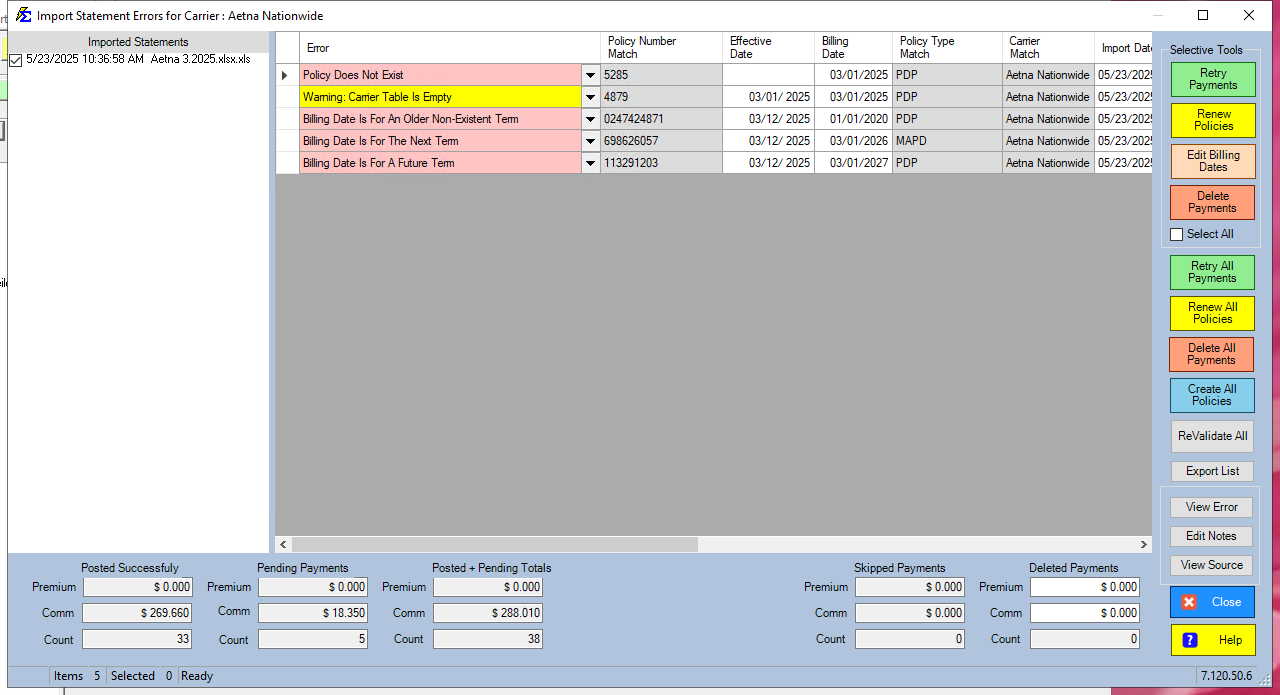
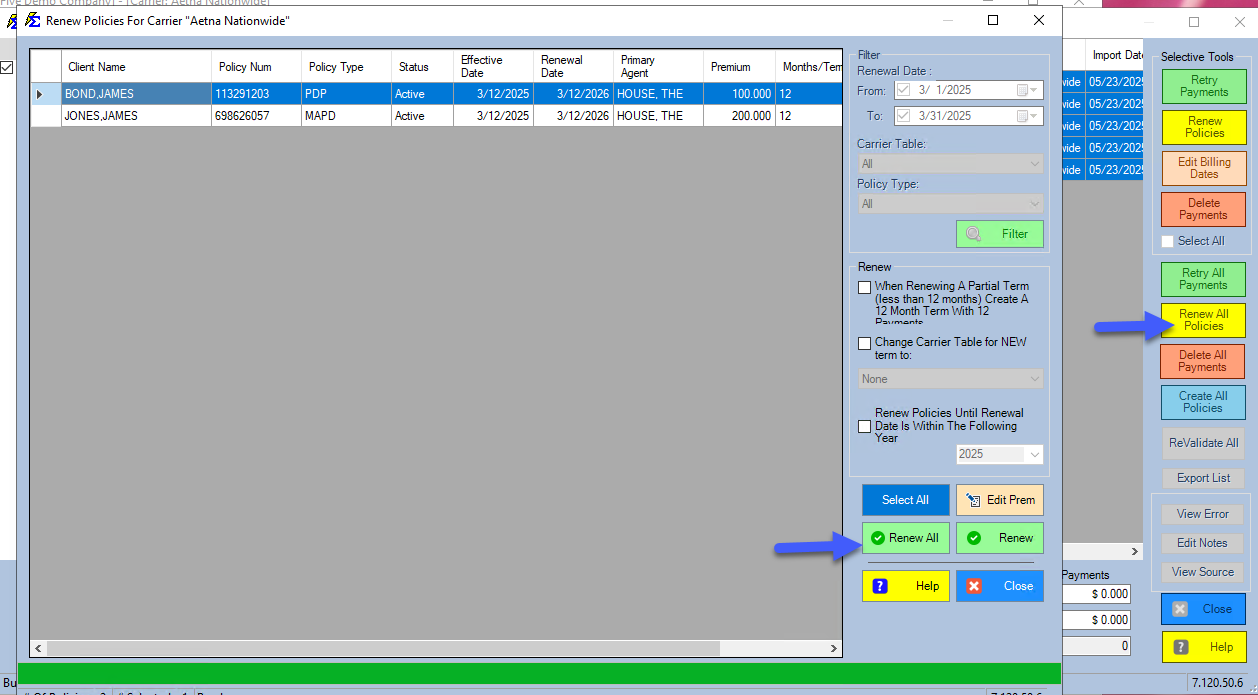
The Renew Policies button is used within the Import Carrier Statement (ICS) error screen to resolve term mismatches. It automatically advances a policy to the next term so a pending payment can be posted.
🛠️ Error Resolutions
- Next Term Error: Use Renew Policies + Retry Payments. This is the most common resolution.
- Future Term Error: Requires investigation. The policy is several terms behind the payment date.
- Older Term Error: Occurs when a chargeback is received for a period before the policy was entered. These must be handled manually.
🖼️ Visual Guide
💡 Best Practices
- ✅ Automatic Sync: Use this button to avoid leaving the import screen to manually fix policy dates.
- ✅ Check History: If a policy requires multiple renewals, ensure you aren't missing historical payments between the old term and the new one.