Renew Policies (by Carrier)
Overview
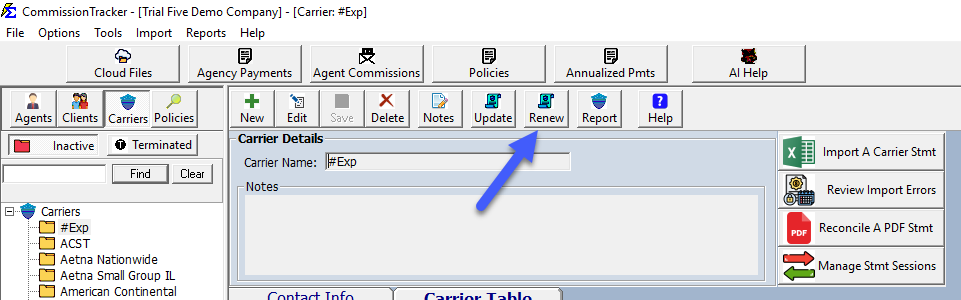
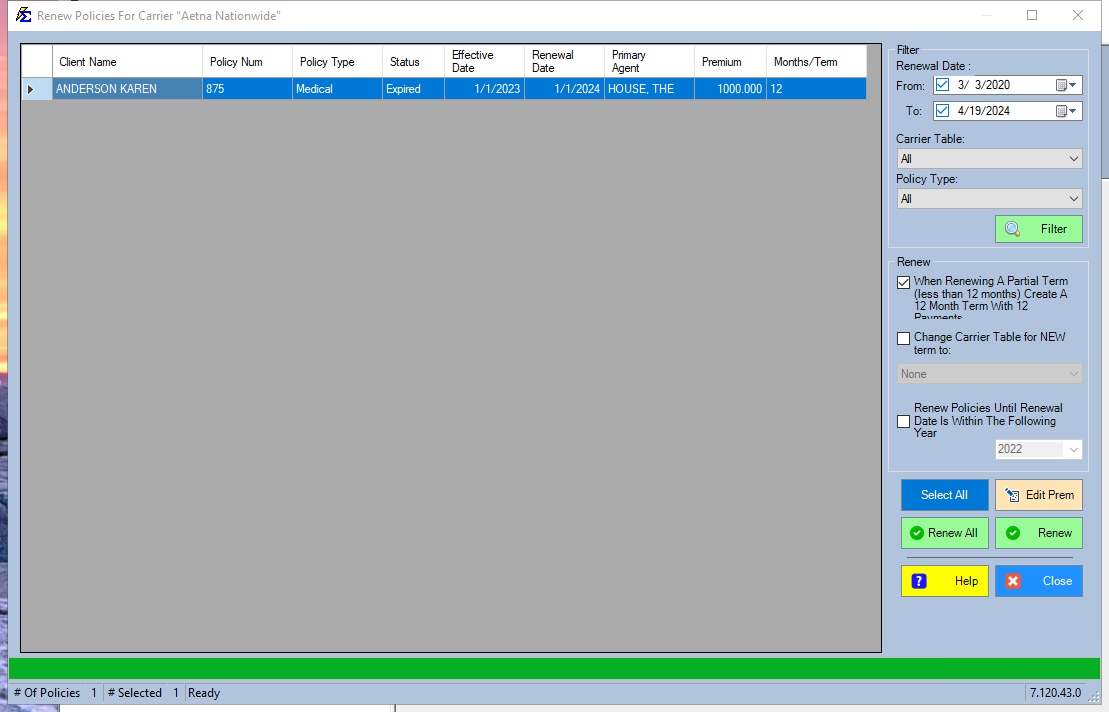
The Renew Policies button allows you to batch-renew all policies for a specific Carrier. This interface provides tools to edit premiums, filter results, and adjust term lengths globally.
🛠️ Key Features
- Edit Premium: Double-click any row to adjust the premium before the new term is created.
- Global Table Update: Change the Carrier Table for all selected policies at once for the upcoming term.
- Partial Term Adjustment: Use this to sync Medicare or other products to a January 1st renewal date, automatically prorating premiums to a 12-month cycle.
- Multi-Year Renewal: Automatically create multiple terms at once to bring an old policy record up to the current year.
💡 Best Practices
- ✅ Review Before Renewing: Use the column sorting to identify policies with incorrect dates or missing information before processing the batch.
- ✅ Table Alignment: Ensure your new Carrier Tables are set up before using the "Change Carrier Table" tool.