Retry Payments
Overview
The Retry Payments button is used to post payments that were initially flagged with errors or warnings during the import process.
⚠️ Common Warnings
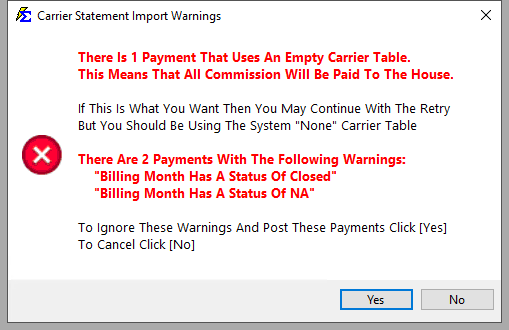
The following messages will allow a payment to post upon clicking Retry, but indicate a potential data issue:
-
Carrier Table Is Empty: Payout defaults to 100% to The House; no expected commission calculated.
-
Billing Month Status NA: The payment is being posted to a month that was not expected (e.g., mid-term on an annual policy).
-
Billing Month Status Closed: A payment already exists for this month.
🛠️ How to Post
- Resolve the underlying data issue (if necessary).
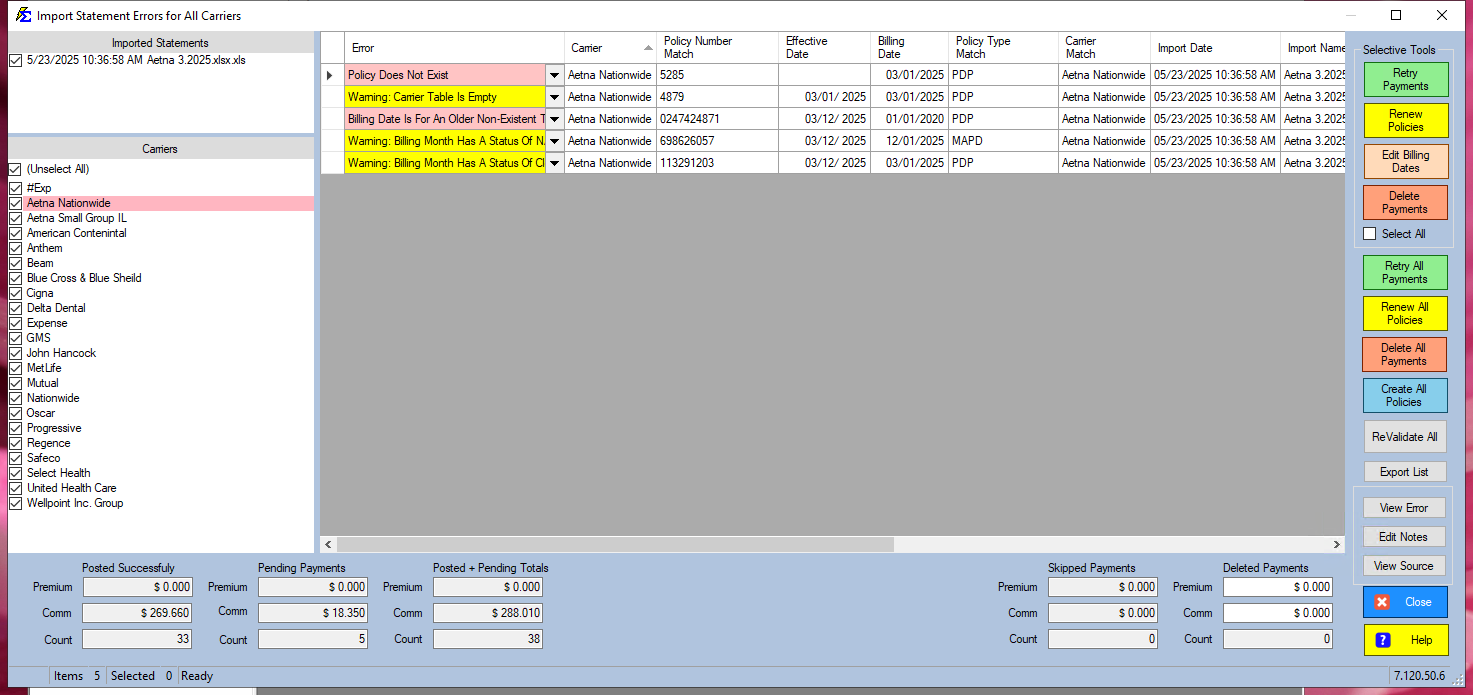
- Select the row(s) in the ICS Error list.
- Click Retry Payments.
💡 Best Practices
- ✅ Toggle Warnings: If your carrier data often results in "Closed" or "NA" status due to their reporting style, use the checkboxes on the ICS screen to suppress these warnings.
- ✅ Clear the List: Aim for a "Blank" error message before retrying to ensure the highest data accuracy.