Reverse Import Policy Session
Overview
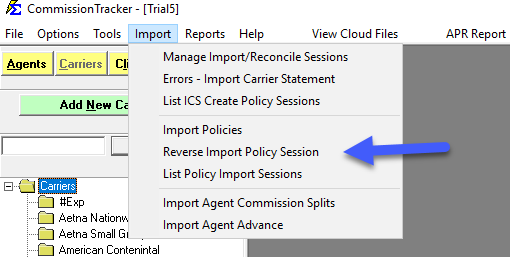
Located in the Import menu, this feature allows you to remove policies and associated data (Clients, Agents, etc.) that were incorrectly imported during a specific session.
🛠️ Detailed Session Info
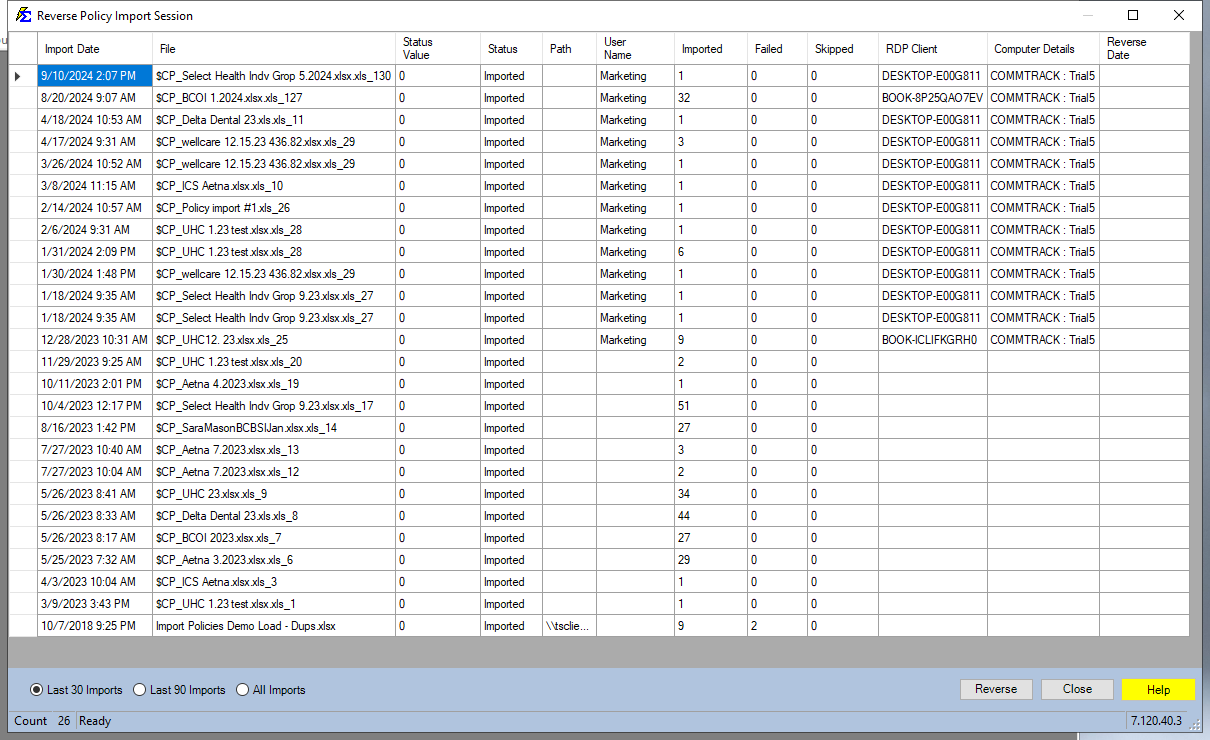
The system tracks several data points to help you identify the correct session to reverse:
-
Date/Time: (Pacific Time)
-
Filename & Path: The original source of the data.
-
User Details: Who ran the import and from which computer.
-
Import Stats: Count of successful, failed, and skipped records.
💡 Best Practices
- ✅ Audit Before Reversing: Run the Policies (NEW!) Report for that session to confirm which records will be removed.
- ✅ Data Safety: Don't worry about existing data; the system only deletes records that were newly created by the specific import session.
- ✅ Timeliness: Reverse errors immediately to prevent commission payments from being attached to incorrect policy records.