Policy Import Preview
Overview
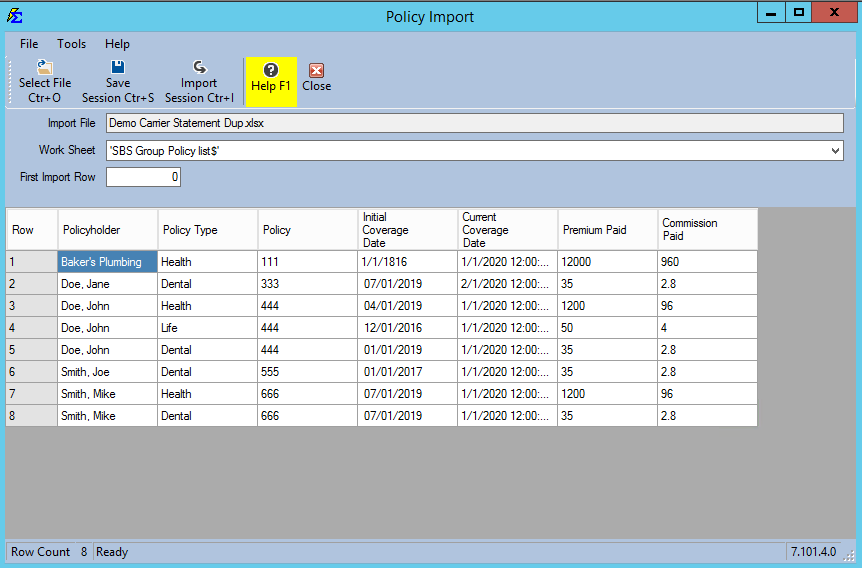
The Policy Import Preview screen displays a preview of your Excel file and allows you to select the correct worksheet for processing.
🛠️ Features
- Worksheet Selection: Choose the specific tab from your Excel file to import.
- Select Different File: Swap the source file if an error is spotted.
- Save Session: Save your work to finish the import at a later time.
- Import Now: Finalize the process and add the policies to the database.
💡 Best Practices
- ✅ Double Check: Use the preview grid to ensure dates and currency values are appearing in the correct columns.
- ✅ Save Progress: If you are importing a large file and get interrupted, use the "Save and Finish Later" option to avoid losing your mapping work.