Specific Reports
🎥 Total Revenue By Advisor (Agent) and Product (Policy Type)
To view the help video for this report, please copy and paste the following link into your browser: https://www.youtube.com/watch?v=U1PpdHH4Xt4
💰 Agency Payments Received Report (APR Report)
The APR report allows you to analyze your agency's income through several different lenses.
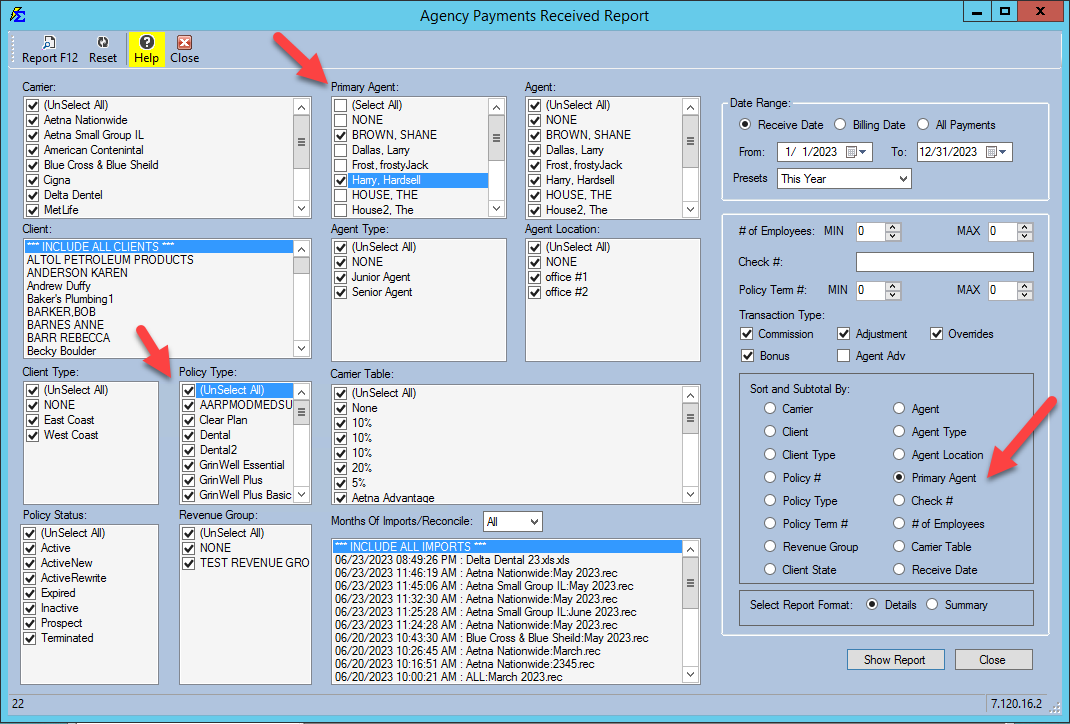
Analysis by Primary Agent
This configuration shows which Policy Types a specific Primary Agent is selling and the total revenue generated for the agency from those sales.
-
Sort by: Policy Type.
-
Sort and Subtotal By: Primary Agent.
-
Date Range: Select a specific timeframe or "All Payments."
Analysis by Policy Type
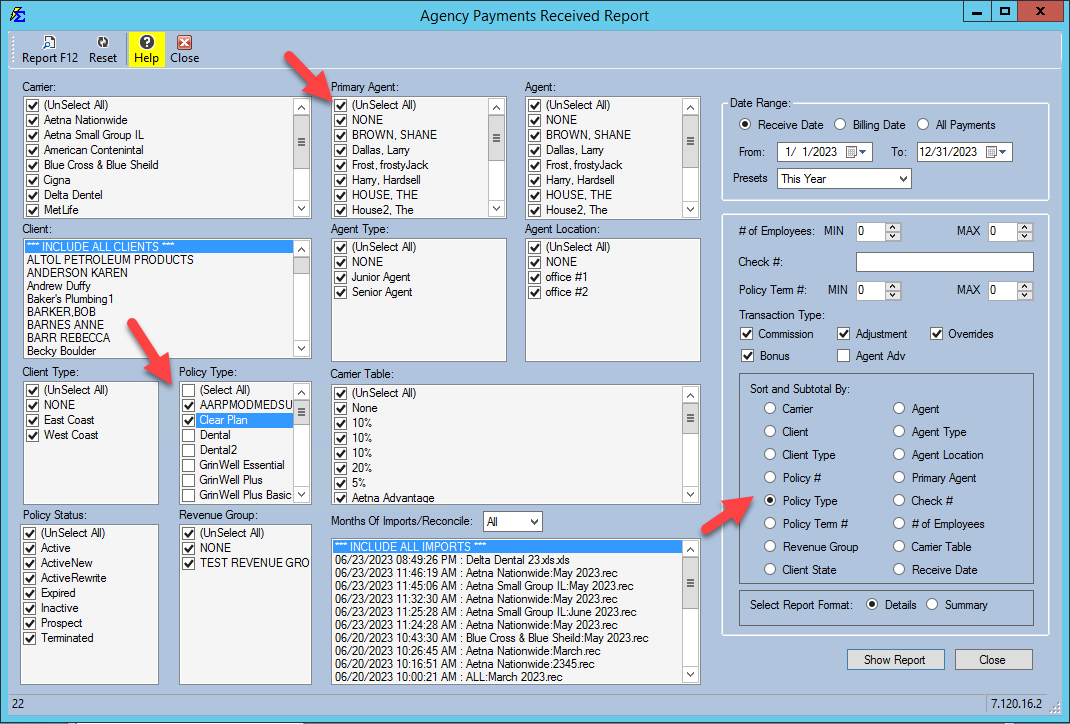
This configuration shows total revenue grouped by the Primary Agent for a specific Policy Type.
-
Sort By: Primary Agent.
-
Sort and Subtotal By: Policy Type.
-
Date Range: Select a specific timeframe or "All payments."
-
Format: Run in Details or Summary Format.
📅 Best Report for Tax Time
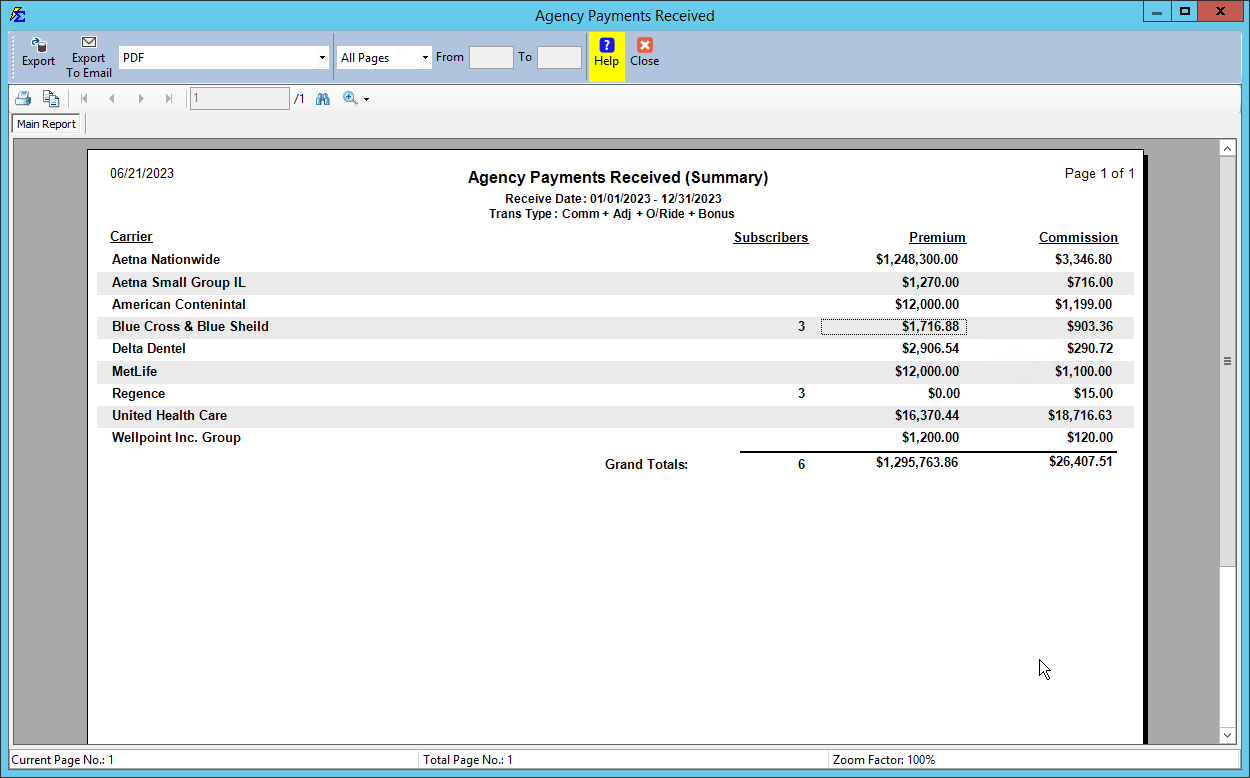
Compare Commission Tracker to the Carrier 1099 Use this report to audit the totals provided by carriers on your year-end tax forms.
-
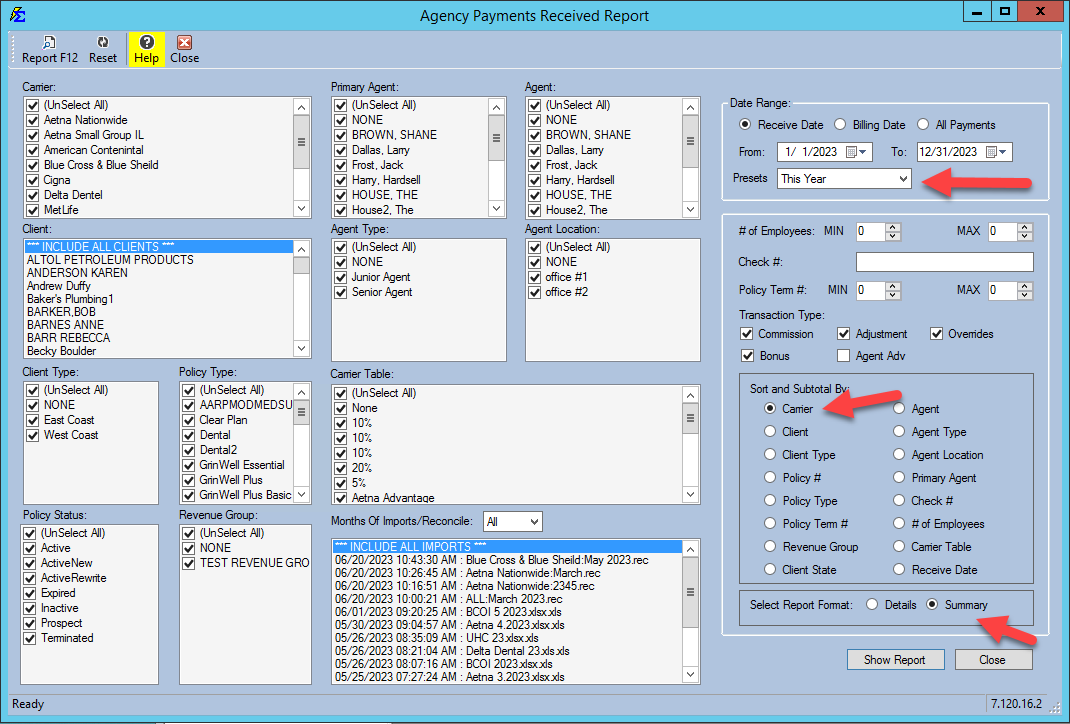
Go to your Agency Payments Received Report (APR).
-
Set the Preset Date Range to "This Year" or "Last Year."
-
Set Sort and Subtotal By to Carrier.
-
Run the report in Details or Summary Format to get a total in Commission Tracker by Carrier.
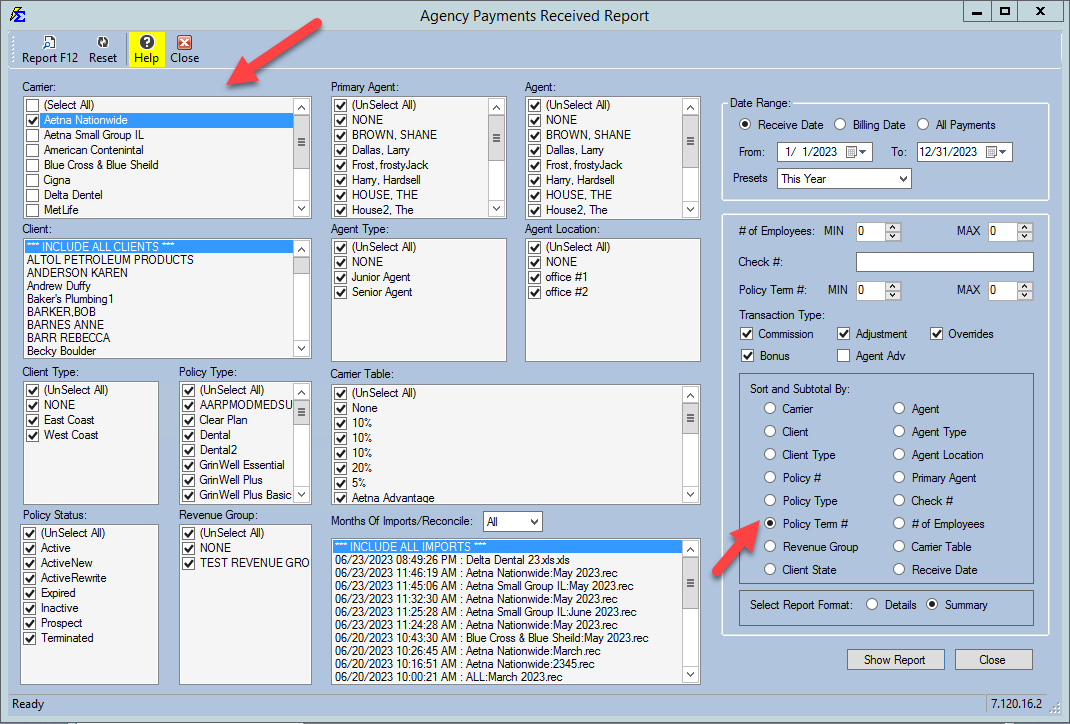
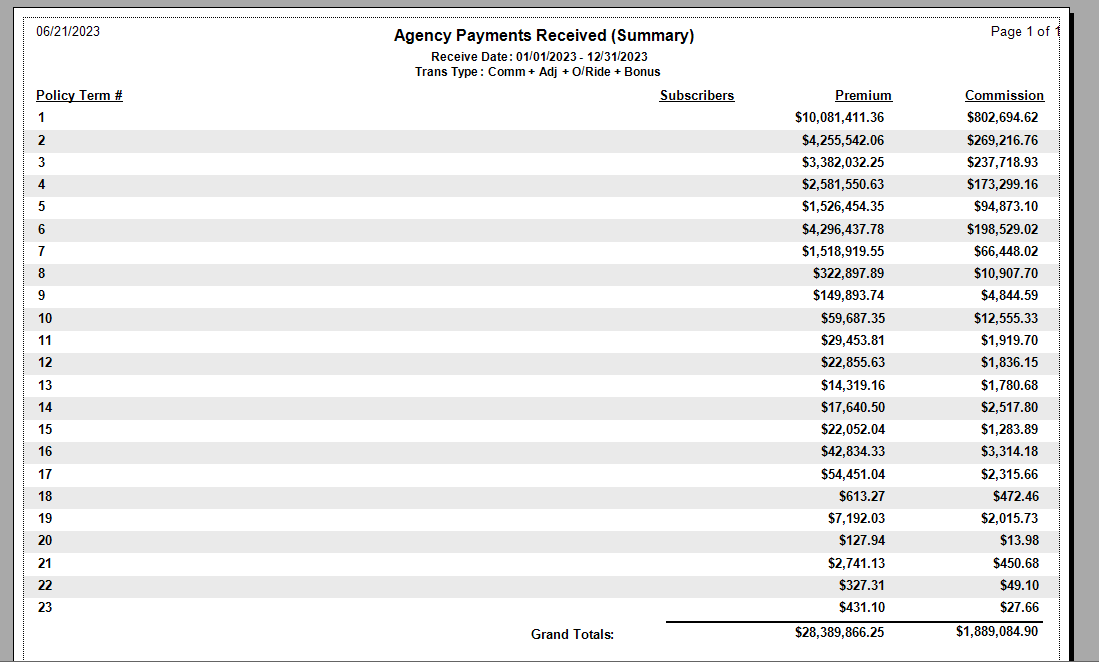
📈 APR Report by Policy Term Number
This report tracks total revenue for a specific carrier (or all carriers) based on the number of years a policy has been active.
- Sort and Subtotal By: Carrier.
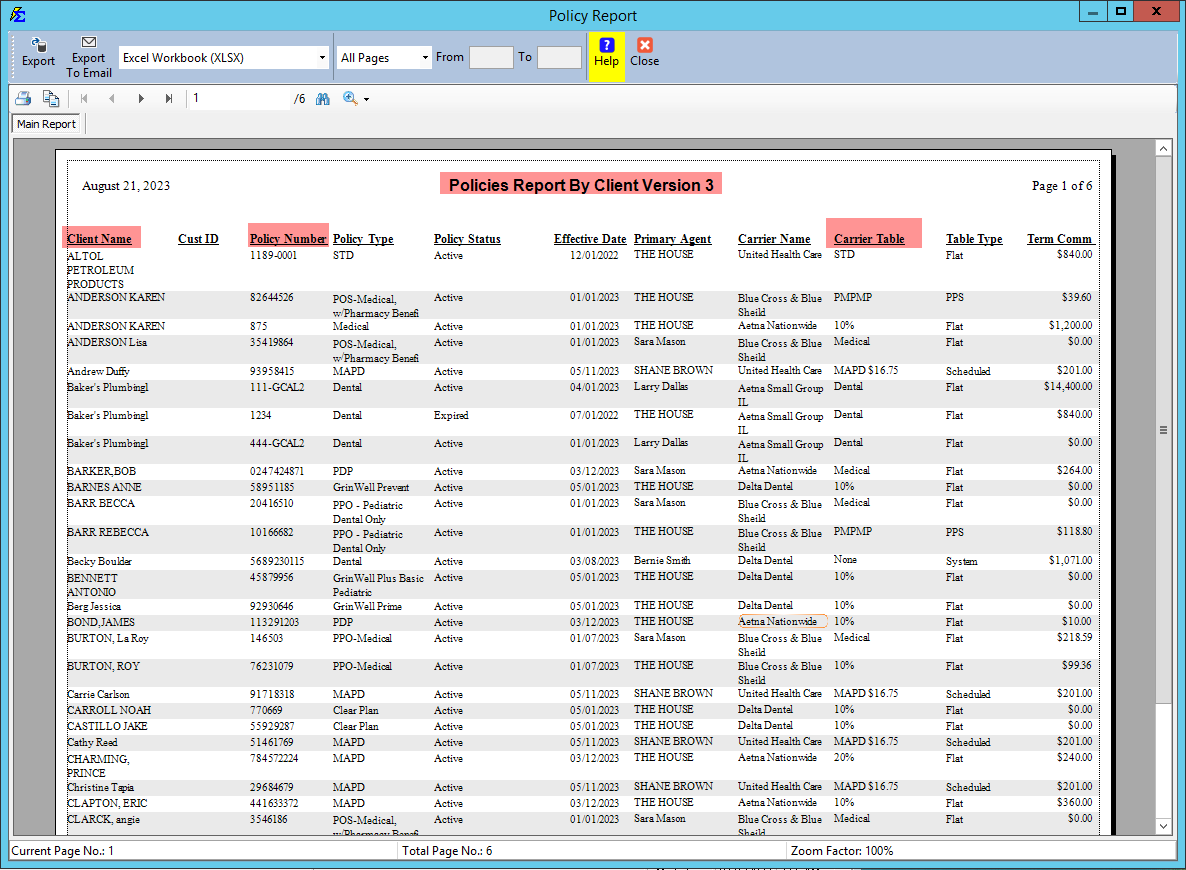
📋 Policy Report: Carrier Table Audit
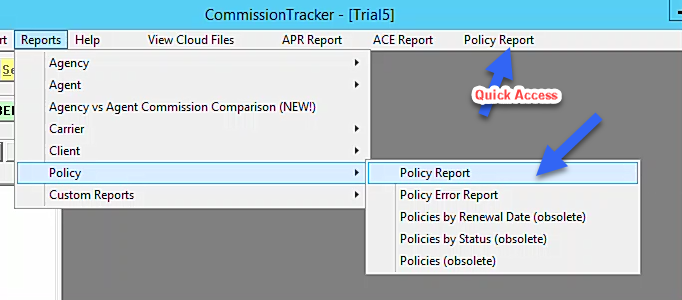
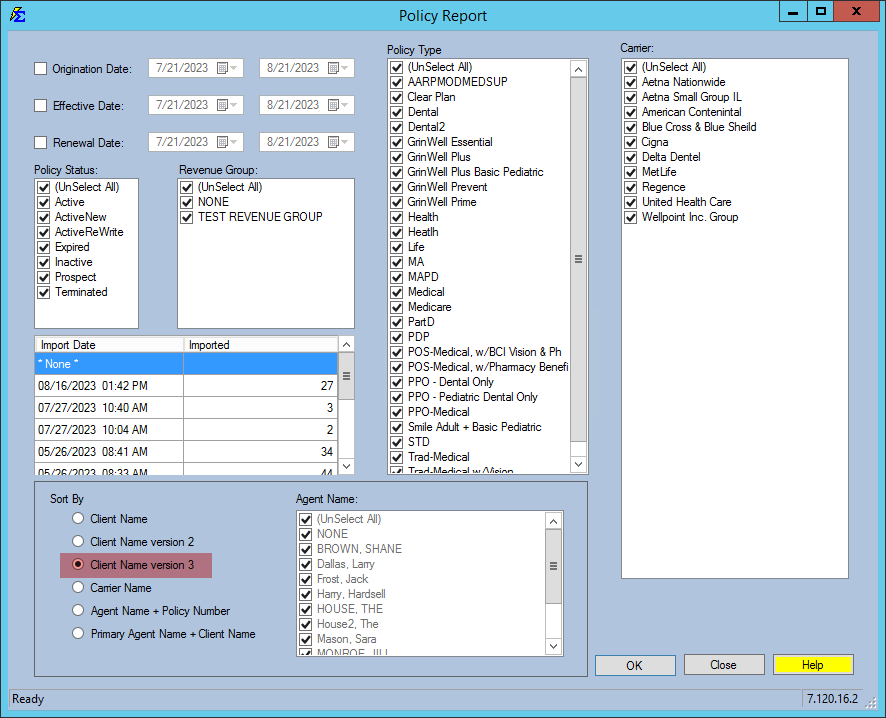
Use this report to show Clients and Policy Numbers associated with specific Carrier Tables to ensure your data is categorized correctly.
💡 Tips for Success
- ✅ Subtotals: Always check your "Sort and Subtotal" settings to ensure the numbers are grouped the way you need for your audit.
- ✅ Formatting: Use Summary format for a quick "big picture" look, and Detail format when you need to verify individual policy payments.