UnDelete (Repost) Payments
Overview
The Repost feature allows you to restore a deleted payment while automatically applying the policy's current agent splits and carrier table settings.
🛠️ How to Repost
- Delete: Remove the incorrect payment from Payment History.
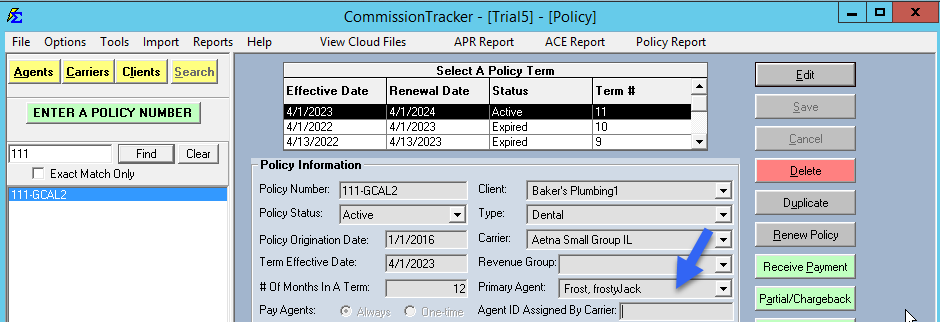
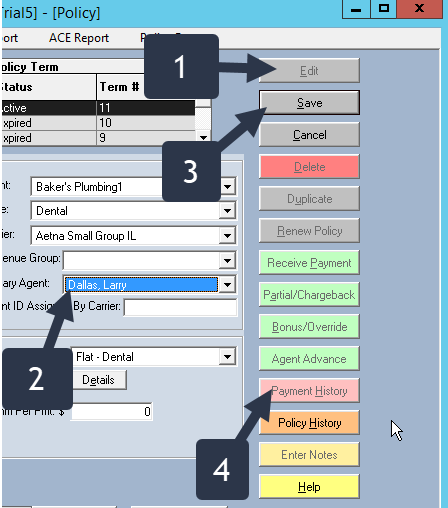
- Adjust: Update the Policy (e.g., change the Agent or Carrier Table) and Save.
- Open: Go to Payment History > Deleted Payments.
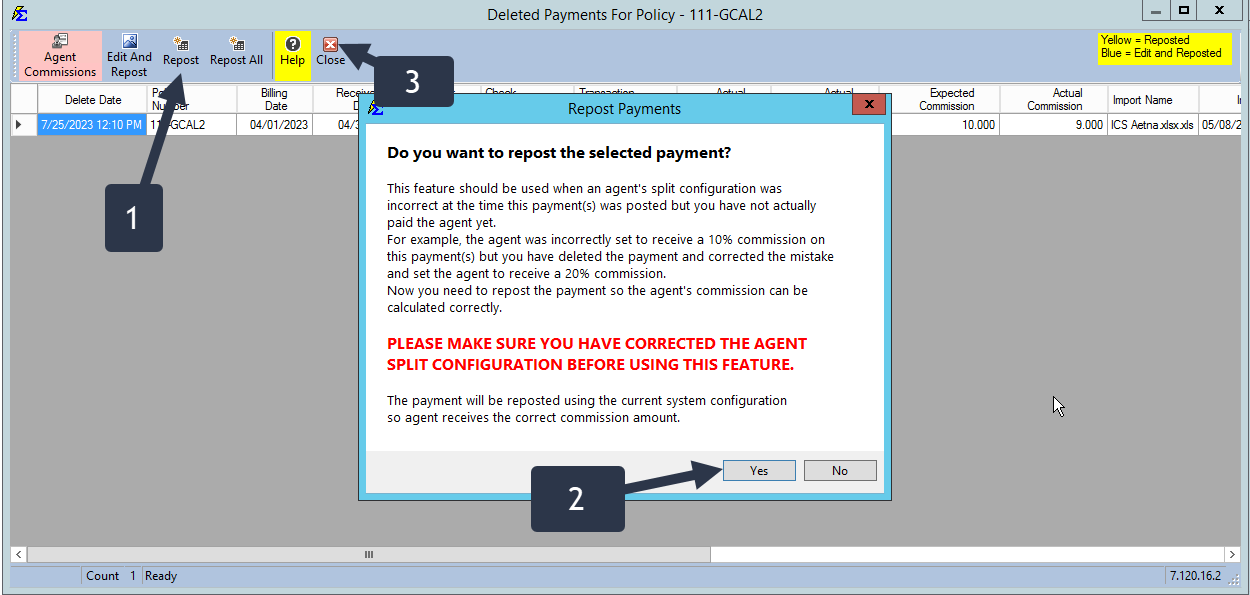
- Repost: Click Repost on the specific record.
💡 Best Practices
- ✅ Recalculation: Remember that Reposting is the best way to fix "wrong agent paid" errors without re-entering check data.
- ✅ Tracking: Use the internal timestamp to verify when a payment was restored.