Carrier Phone Number
The Carrier Phone Number section allows you to store the primary voice contact details for the insurance provider. Maintaining an updated phone directory within the software ensures your staff can quickly resolve commission discrepancies or policy inquiries.
When to Use This Section
Complete this field during the final steps of carrier setup or when:
-
Recording Department Lines - Storing the direct line to the carrier's commission or broker services department.
-
Updating Agency Records - Ensuring that contact information remains current as carriers change their regional phone numbers.
-
Improving Efficiency - Providing a one-click reference for staff needing to contact a provider.
Adding the Phone Number
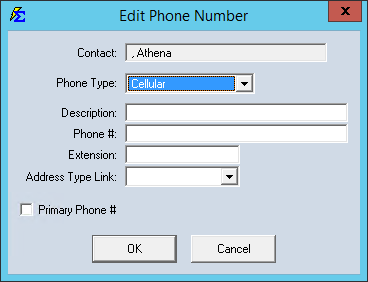
The phone number field is located on the main Carrier profile screen.
Step-by-Step Instructions
- Navigate to the Carrier screen and select the carrier you wish to edit.
- Open the carrier profile and locate the Phone Number field.
- Enter the phone digits. The system will apply standard formatting automatically.
- Click Save to commit the changes to the database.
What Happens When You Save
- The phone number is saved to the carrier's permanent record.
- This information is instantly available in the Carrier List Report.
- Staff can reference this number whenever they are reconciling statements or checking Carrier Commission Tables.
Troubleshooting
Q: Can I enter an extension? A: Yes. You can type the extension directly after the phone number in the same field (e.g., 555-555-5555 x101).
Q: What if a carrier has multiple numbers (e.g., Sales and Support)? A: We recommend placing the most frequently used number here. Additional numbers for different departments can be stored in the Carrier Notes section.
Next Steps:
Need help with carrier management? Contact support@commission-tracker.com