Update Policies (by Carrier)
Overview
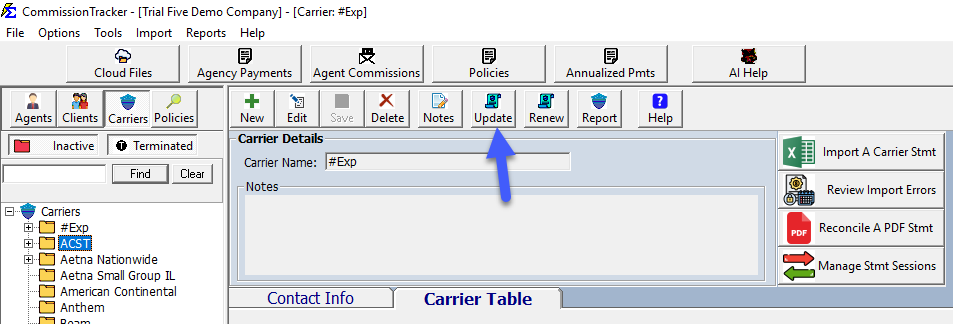
Modify properties for multiple policies simultaneously using the Update Policies tool found on the Carrier screen.
🔍 Key Features
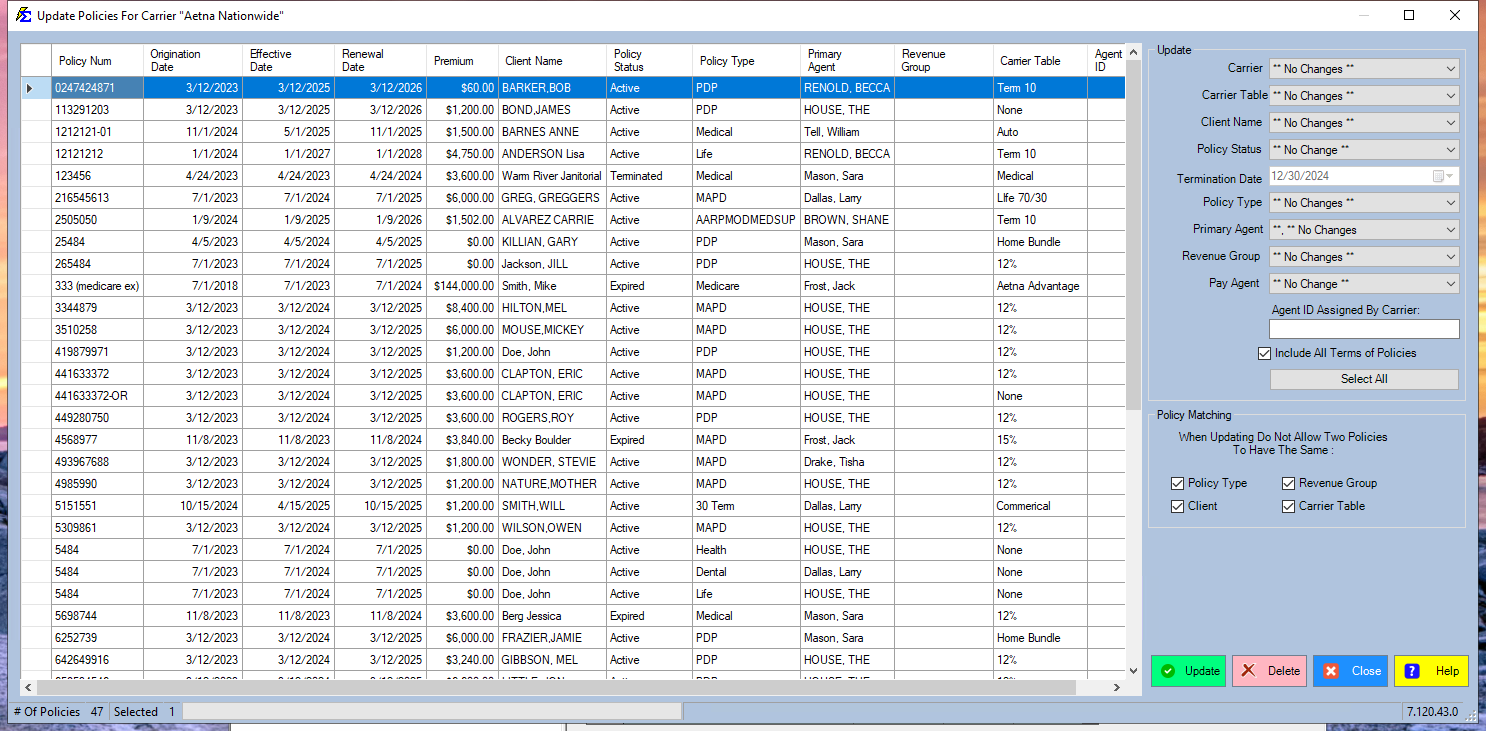
- Bulk Editing: Change status, agents, or other properties for many records at once.
- Flexible UI: Click headers to sort, or drag-and-drop columns to reorder your view.
💡 Best Practices
- ✅ Termination Tip: Always select a specific Termination Date; otherwise, the system will default to today's date.
- ✅ Data Review: Sort by "Effective Date" to quickly identify and update policies from a specific year or quarter.