Update All Policies
Overview
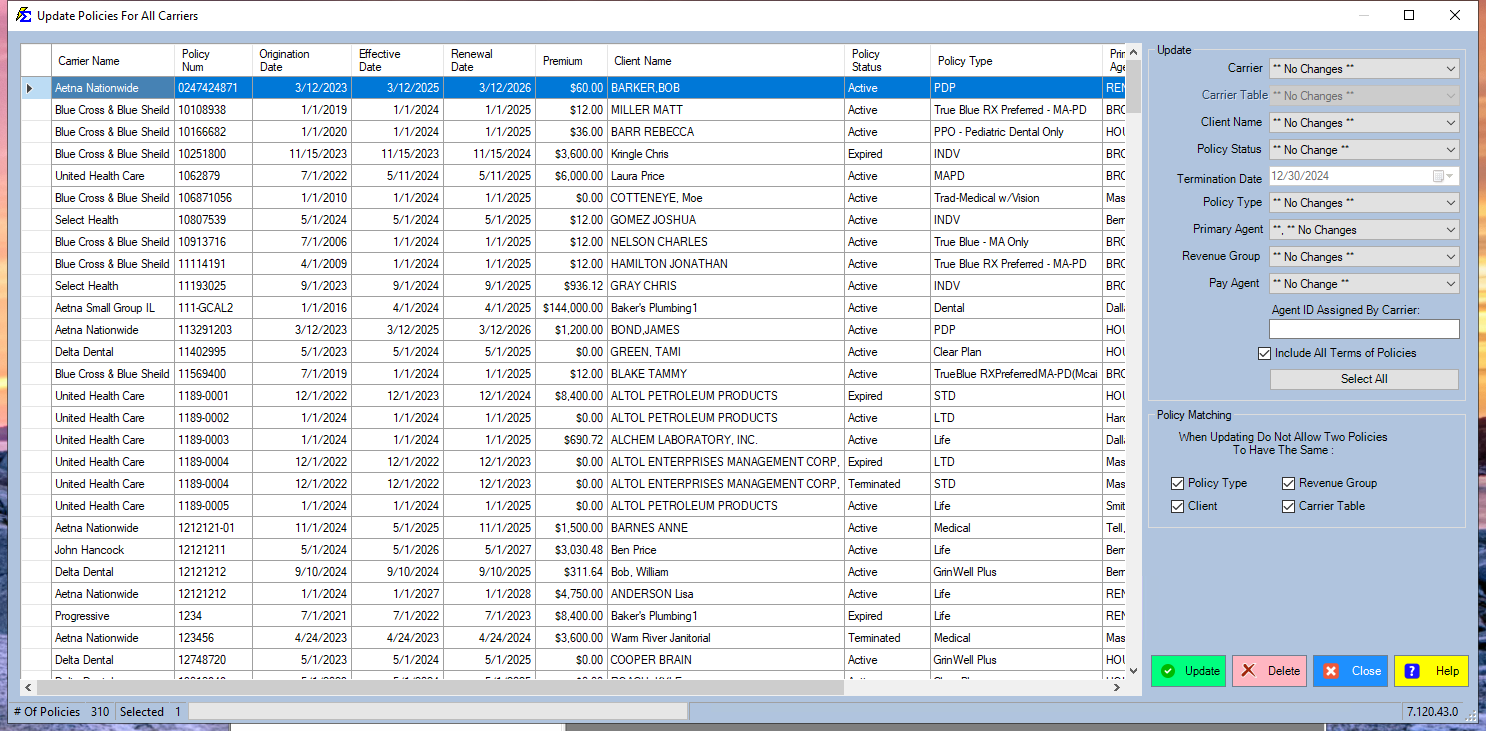
The Update All Policies tool in the Tools Menu is designed for agency-wide bulk modifications across all agents and carriers.
🛠️ Step-by-Step
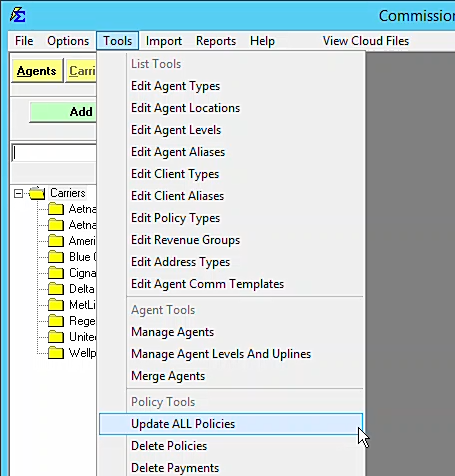
- Navigate: Tools > Update All Policies.
- Filter: Use the grid to identify the specific policies that require changes.
- Execute: Select the target policies and apply the desired property update.
💡 Tips for Success
- ✅ Global Changes: Use this for agency-wide reassignments or status updates.
- ✅ Precision: Use the grid filters to ensure you are only editing the intended records.